Google Search Console Now Lets You Filter Multiple Countries at Once

Contents
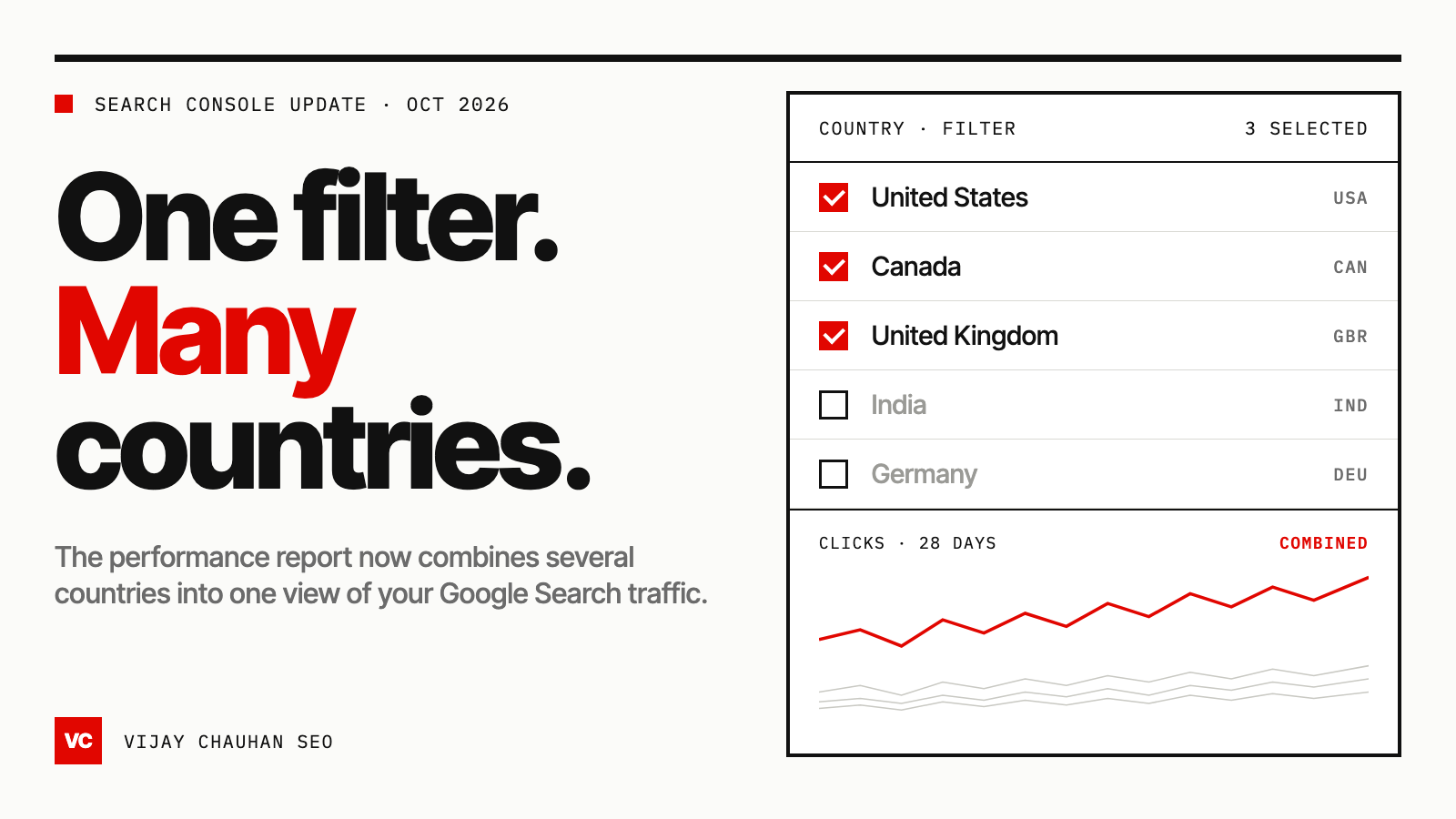
Google has updated the filters in the Search Console performance report. You can now select more than one country in the country filter and see their combined Google Search traffic in a single view. Until this week, the filter only took one country at a time.
Google announced the change on LinkedIn on October 6, 2026, and Barry Schwartz reported it on Search Engine Roundtable the same day. Here's what changed, what Google said about it, and how to put it to work.
What's new in the Search Console country filter
The country filter in Performance → Search results used to work like a radio button. You picked one country, and the report showed that country. To see two or more together, you had to export each one and combine them yourself.
Now the filter is a checkbox list. Tick as many countries as you need, click Apply, and the chart and tables show those countries combined: total clicks, total impressions, CTR and average position.
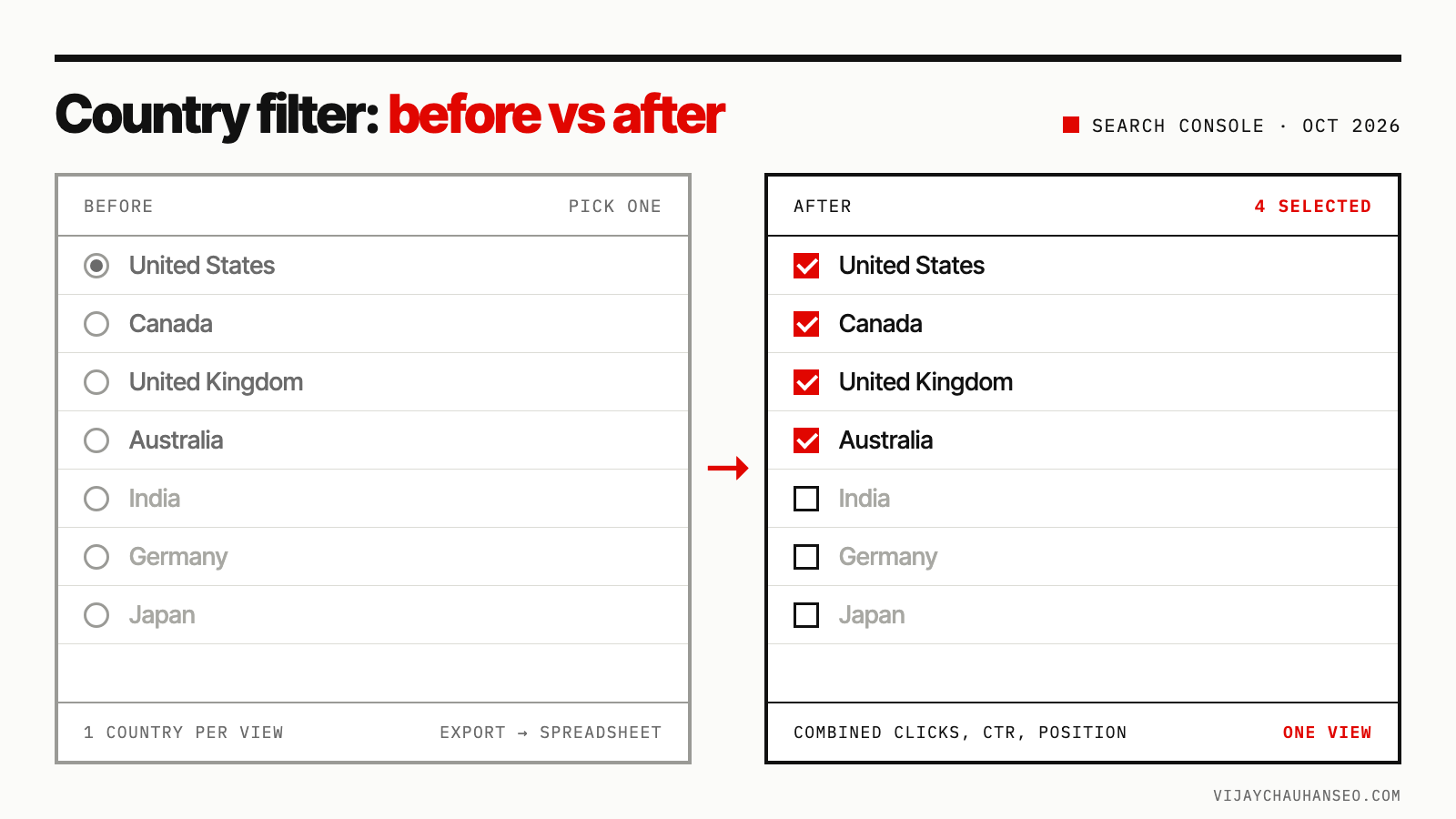
In short:
- Before: one country per view. Regional numbers meant exporting each country and adding them up in a spreadsheet.
- After: tick several countries in one filter. Search Console does the combining.
- Still there: the Compare tab, which puts one country next to another instead of combining them.
What Google said
Google framed the update around international sites. From its LinkedIn post:
"Today we're updating the Search Console performance report filters to make it easier for you to analyze traffic patterns across different countries and devices."
"If you operate in multiple countries, you can now view their combined Google Search traffic."
Note the word devices. The screenshots shared so far only show the country filter, but Google's wording suggests device filtering got a similar update. Check the Device filter in your own account.
Barry's example was simple: tick the United States and Canada, click update, and you get North America in one view. His verdict was that it's "a neat addition to have directly in Google Search Console," while pointing out that what SEOs really want is click data in the AI performance reports.
Why this change matters
For a site that only serves one country, nothing changes. For anyone doing international SEO, it fixes three everyday problems.
1. Regional reporting without spreadsheets. Businesses report by region (North America, DACH, ANZ, LATAM), not by single country. Search Console can now show those regions directly.
2. More accurate average position. Clicks and impressions add up correctly when you sum exports. Average position doesn't. If the US has 10,000 impressions at position 8 and New Zealand has 200 at position 2, a simple average says 5.0. Weighted by impressions, the true figure is 7.9. Search Console calculates the combined position from the underlying data, so you avoid that mistake.
3. Faster checks during Google updates. When a core or spam update rolls out, you want to know if it hit every market or only some. Group your main markets, check the date graph, and you have the answer in a minute. Pair it with the Google volatility tracker to see whether the timing lines up with a confirmed update.
How to filter multiple countries in Search Console
- Open Performance → Search results for your property.
- Click Add filter above the chart and choose Country. If a country filter is already applied, click its chip to edit it.
- Stay on the Filter tab.
- Tick every country you want in the group.
- Click Apply.
You can add other filters on top. For example, add a Page filter for /es/ to see how your Spanish section performs across Spain, Mexico, Argentina and Colombia combined.
Search Console doesn't let you save named filter sets. Bookmark the report after applying a group, and check that the bookmark reopens with the same countries ticked.
Country groups worth setting up first
- Core English markets (US, UK, Canada, Australia, Ireland, New Zealand): one view of an English content set that serves several countries.
- DACH (Germany, Austria, Switzerland): your German-language hreflang cluster in one number.
- ANZ (Australia, New Zealand): useful when
en-aupages also serve New Zealand searchers. - Your hreflang clusters: every country one language version targets, combined with a Page filter for that folder.
- Spillover markets: countries you don't target but still get traffic from. A growing spillover group is demand you aren't serving yet.
What to watch out for
- A group total can hide one country falling. If the US grows 10% and Canada drops 30%, "North America" can still look flat. Check the group, then compare the countries inside it.
- Your biggest market dominates. Combined position is weighted by impressions, so the group figure mostly reflects your largest country.
- Google's help page hasn't caught up. At the time of writing, the page on advanced filtering and comparison still says country filters don't support multi-select. Go by what you see in the product.
- It's interface-only for now. Google hasn't announced anything for the Search Analytics API or Looker Studio. The API still combines filters with AND, so dashboards built on it need to pull each country separately and combine them (sum clicks and impressions, recalculate CTR, weight position by impressions).
FAQ
When did Search Console add the multi-country filter?
Google announced it on LinkedIn on October 6, 2026, as an update to the performance report filters.
Can I select multiple countries in Google Search Console?
Yes. The Country filter in the Performance report is now a checkbox list. Tick several countries and click Apply to see their combined data.
What's the difference between Filter and Compare?
Filter combines the countries you tick into one set of numbers. Compare shows one country next to another so you can see the difference.
Does the multi-country filter work in the Search Console API?
Not as far as Google has announced. The API combines filters with AND, so request each country separately and combine the results yourself.
Sources: Search Engine Roundtable (Barry Schwartz, Oct 6, 2026) and Google's announcement on LinkedIn.
GSC Insights Pro is a free Chrome extension that adds AI Overview impressions, clicks, CTR and position directly to your Search Console reports.
Get GSC Insights Pro